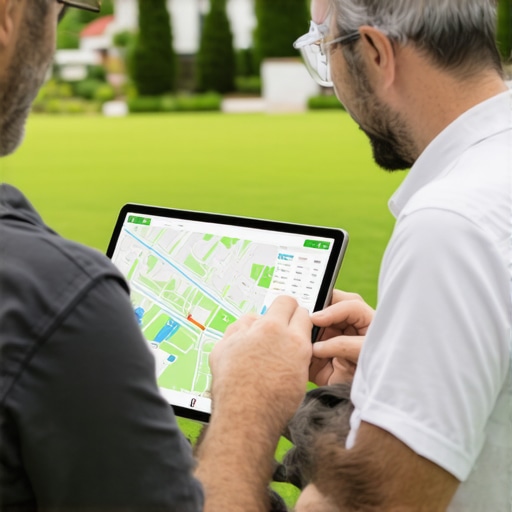
How Landscapers Are Winning Local Jobs by Fixing Their Map Data
In the landscaping industry, curb appeal is everything. You spend your days transforming overgrown yards into manicured masterpieces, installing intricate hardscapes, and ensuring that every blade of grass is perfectly edged. But in 2026, there is a different kind of curb appeal that matters just as much as the physical work you do: your digital curb appeal. Specifically, how your business appears – or fails to appear – on Google Maps.
For many landscaping business owners, the phone has stopped ringing as often as it used to. It isn’t because homeowners have stopped needing patios or lawn maintenance; it’s because those homeowners are using their smartphones to find “landscapers near me,” and your business is invisible. You might be the best contractor in the county, but if you aren’t in the Local 3-Pack, you are effectively out of business for a massive segment of the market.
The Local 3-Pack is the coveted trio of business listings that appear at the very top of Google’s search results, accompanied by a map. Statistics show that the vast majority of clicks go to these three businesses. If you are sitting at rank four or five, or worse, on page two, you are losing jobs to competitors who may have inferior skills but superior map data. To win in this environment, you must understand that Google Maps has become the definitive “digital storefront” for local businesses. If your data is broken, your storefront is locked. This guide will show you how to fix it.
Before diving into the fixes, it is essential to understand why some businesses disappear entirely. You can learn more about this in our deep dive on Why Your Service Area Business Is Missing from the Map Pack.
The High Cost of Messy Map Data
Many landscapers assume that their ranking on Google is a popularity contest based solely on reviews. While reviews are important, the underlying engine of local search is data integrity. Google’s algorithm is designed to provide users with the most accurate, reliable information possible. When your map data is messy, inconsistent, or outdated, Google views your business as a “risky” result to show to users. To protect its own reputation, the algorithm will demote you in favor of a business with “cleaner” data.
The most common culprit is inconsistent NAP (Name, Address, Phone) data. If your business is listed as “Green Leaf Landscaping” on your website, “Green Leaf Landscaping LLC” on Facebook, and “Green Leaf Landscape & Design” on a local directory, Google’s bots struggle to verify that these are all the same entity. This confusion creates “ghost” listings and data fragments that dilute your ranking power. In the eyes of an algorithm, three different names suggest three different, potentially unreliable businesses.
Furthermore, errors in map data are rarely just “technical glitches.” They often stem from a lack of active management. In 2026, Google’s AI-driven crawlers are more sensitive than ever to signals of neglect. If your hours aren’t updated for holidays, or if your service area hasn’t been refined in years, you are signaling to Google that your business might not even be active. This is where professional google business profile seo becomes a necessity rather than a luxury. By cleaning up these data points, you remove the friction that prevents Google from ranking you higher.
Ignoring these subtle signals can be devastating. Many landscapers find themselves wondering why a new competitor with five reviews is outranking them even though they have fifty. The answer usually lies in the technical foundation. For a closer look at these issues, read about The Subtle Local SEO Errors That Keep Your Shop Pin Off the First Page.
The GBP Audit: Fixing the Foundation
Winning the local map game starts with a rigorous audit of your Google Business Profile (GBP). For landscapers, there are three specific areas where data often goes wrong: category selection, service area configuration, and the dreaded “Closed” status glitch.
Primary Category Selection
One of the most common mistakes landscapers make is choosing the wrong primary category. Google offers several options: “Landscaper,” “Landscape Designer,” “Lawn Care Service,” and “Landscape Architect.” While you might do all of these things, your Primary Category carries the most weight for your ranking. If you want to win big-ticket design-build jobs, “Landscape Designer” might seem attractive, but “Landscaper” often has a much higher search volume. If you pick a niche category as your primary, you may be invisible to the 90% of people searching for general landscaping services. You must strategically use secondary categories to capture the rest of the market without diluting your main ranking signal. You can find out Why Picking the First Category You See Destroys Your Local Search Visibility here.
Service Area Configuration
Most landscapers are Service Area Businesses (SABs). You go to the customer; the customer doesn’t come to your shop. In the past, landscapers would set massive service radii – sometimes 100 miles or more – thinking it would help them get more jobs. In 2026, this is a recipe for a suspension. Google’s “2026 Popularity Signals Update” prioritizes businesses that demonstrate a dense, local presence. Setting a radius that is too large makes your business look like a “lead gen” scam rather than a local contractor. The winning strategy is to define specific cities or zip codes where you actually work, rather than a broad, generic circle.
The “Closed” Business Glitch
A frustrating bug has emerged in 2026 where active landscaping businesses are being marked as “Permanently Closed” or “Temporarily Closed” by Google’s AI without warning. This often happens if the AI detects a lack of recent activity or if a competitor suggests an edit that goes unchallenged. If your profile says “Closed,” your ranking drops to zero instantly. Fixing this requires immediate manual intervention and often a re-verification process. Monitoring your map data daily is the only way to catch this before it costs you a week’s worth of leads.
Visual Proof: Photos and Geotagging
Google’s algorithm relies on three pillars: Proximity, Relevance, and Prominence. While you can’t change your physical proximity to a searcher, you can significantly boost your “Prominence” through visual data. Landscaping is a visual-first industry, and Google knows it. High-resolution photos are not just for show; they are data points that Google’s AI analyzes to understand what you do.
When you upload a photo of a new retaining wall, Google’s Cloud Vision API identifies the stone, the soil, and the context of the backyard. This reinforces your “Relevance” for keywords like “hardscaping” or “retaining wall installation.” Furthermore, photos drive Click-Through Rate (CTR). A listing with 100 high-quality project photos will always get more clicks than a listing with two grainy shots of a truck. Google tracks these clicks; the more people click on your listing, the higher Google ranks you. This creates a “popularity loop” that is essential for long-term dominance.
To maximize this, many pros use specialized local seo tools to manage their media. There is also a significant debate regarding geotagging. While Google officially strips EXIF data from photos upon upload, the metadata present at the time of upload and the location of the device used to take the photo still provide “location signals” to the algorithm. Consistently uploading photos from the job site – rather than from your office – helps anchor your business to the communities you serve. For more on this, check out The One Photo Setting That Actually Moves the Needle on Local Rankings.
Managing the Review Funnel & Reputation
We all know that reviews are vital, but “getting more reviews” is no longer enough. To win local jobs, you must manage the data within the reviews. Google’s search engine now parses the text of reviews to find “justification” for ranking a business. If a customer writes, “They did the best hardscaping in Austin,” your business is much more likely to show up when someone searches for “hardscaping Austin.”
Landscapers who are winning the map game are actively prompting their clients to mention specific services and locations in their reviews. Instead of a simple “Great job!”, they encourage clients to say, “The sod installation in the North Loop area was perfect.” This turns every review into a localized keyword-rich signal that boosts your relevance.
However, many landscapers are currently struggling with the “filtered reviews” issue. This is where legitimate 5-star reviews from real customers never appear on the profile. This usually happens because Google’s spam filter is over-calibrated. If a customer leaves a review while connected to your office Wi-Fi, or if they haven’t visited your location (which is common for landscapers), Google might flag it as fake. To combat this, you need a proactive strategy. You can follow these 3 Steps to Recover Filtered Reviews Without Contacting Support. For those looking for a more hands-off approach, a professional gmb ranking service can help manage the technical aspects of reputation management.
Advanced 2026 Tactics: AI Suspensions & Proximity
The landscape of Local SEO changed drastically in 2026 with the implementation of AI-driven profile moderation. Google now uses advanced neural networks to flag businesses for “suspicious activity.” For landscapers, this often results in the “AI Rejection Loop,” where a profile is suspended, an appeal is filed, and the appeal is automatically rejected by a bot within seconds.
Navigating these suspensions requires a deep understanding of what the AI is looking for. Often, a suspension is triggered by a sudden change in your map data – like changing your phone number and your service area at the same time. The AI views this as a “hijacking” attempt and shuts the listing down. To recover, you often have to provide video verification of your equipment, your branded trucks, and your tools. This is Google’s way of ensuring you are a real person with a real business, not a bot farm.
If you find yourself stuck in this loop, you need to know How to Appeal 2026 AI Profile Suspensions Fast. Furthermore, to rank higher on google maps in this environment, you must focus on “Proximity Authority.” This means building local citations on hyper-local websites – like the local Little League sponsor page or a neighborhood blog – rather than just big national directories. These local links tell Google’s AI that you are a trusted member of that specific geographical community.
Conclusion: The Map Data Advantage
Winning local landscaping jobs in 2026 isn’t just about who has the sharpest mower blades or the most creative designs. It’s about who has the most accurate and authoritative map data. By fixing your NAP consistency, choosing the right categories, managing your visual data, and navigating the complexities of AI-driven reviews and suspensions, you can claim your spot in the Local 3-Pack.
Remember, Google Business Profile optimization is not a “set it and forget it” task. It is a recurring part of your business operations. As the algorithm evolves and new glitches emerge, you must stay vigilant. If you want to dominate your local market, you need to audit your profile today. Use professional local seo ranking tools to monitor your progress and ensure that when a homeowner in your area looks for a landscaper, yours is the first name they see. The jobs are there for the taking – you just have to make sure Google knows where to find you.
Expert insights provided by Luke Truetken, a specialist in helping local contractors navigate the ever-changing world of google maps ranking service and local search visibility.