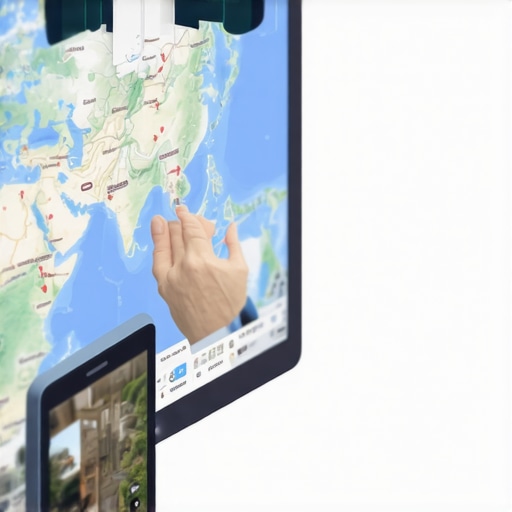
How to Stop Your Map Embed from Being a Static Image with No SEO Value
I see it every single day. I’m auditing a local business website – perhaps a high-end law firm in Manhattan or a plumbing contractor in Chicago – and I head over to their contact page. What do I find? A “map.” But it isn’t really a map. It’s a screenshot. A .jpg or a .png file that a lazy developer slapped onto the page because it was faster than configuring an API key or grabbing an embed code.
In the world of google business profile seo, this is a cardinal sin. If you are using a static image of a map, you aren’t just being “lazy” – you are actively sabotaging your local rankings. As we move into 2026, where AI-driven local search and Search Generative Experience (SGE) require deeper, real-time data integration, a static image provides exactly zero data to Google’s crawlers. It’s a dead end. Google cannot “read” the location, it cannot verify the proximity of your business to the user, and it certainly cannot track user engagement. You are missing a massive proximity signal that your competitors are likely exploiting.
In this guide, I’m going to break down why the “visual” of a map is only 10% of the equation. The other 90% is the data bridge between your website and your Google Business Profile (GBP). If you want to dominate the Map Pack, you need to stop treating your map like a decoration and start treating it like a ranking engine.
Static vs. Dynamic: Why Your Choice of Map Impacts Your Rank
When we talk about map embeds, we generally look at two categories: Static Maps and Dynamic/Interactive Maps. Many developers prefer static maps because they are lightweight. They don’t require loading heavy JavaScript libraries, which theoretically helps with PageSpeed Insights scores. However, research from KiwiSprout and various SEO case studies suggests that the “speed” benefit is a trap for local businesses.
A static map is just a picture. Googlebot sees an <img> tag with an alt-text (if you’re lucky). It doesn’t see a live connection to a business entity. Conversely, an interactive JavaScript or iframe-based embed is a living portal. It allows users to zoom, scroll, and click for directions. This interaction creates what I call “engagement juice.”
Google monitors how users interact with your site. If a user spends 45 seconds interacting with a map on your contact page to see how far you are from their house, that “dwell time” sends a signal of relevance. A static image offers no such interaction. By choosing the easy route, you are forfeiting a primary google business profile seo signal. In 2026, engagement is the new backlink. If your map doesn’t move, your rankings won’t either.
The “Google Loves Google” Factor: Why Embeds Win
There is a long-standing sentiment in the Reddit SEO community and among veteran practitioners: “Google loves its own stuff.” While Google’s official stance is that they don’t give preferential treatment to their own tools, the data often tells a different story. An iframe embed directly from Google Maps isn’t just a visual element; it is a data-sharing mechanism.
When you use an official Google Map embed, you are inviting Google to track the user journey more effectively. They can see when a user clicks “Directions” directly from your site. They can see the geographic intent of the visitor. This strengthens the “Prominence” and “Relevance” pillars of the local search algorithm.
If you’ve noticed that your profile is struggling – perhaps you’ve read my previous piece on Why Your Map Pin Gets Impressions But Zero Actual Phone Calls – the culprit is often a lack of trust signals. An interactive map embed acts as a trust bridge. It confirms to Google that the “entity” on the website is the exact same “entity” in the Map Pack. This is a core component of google business profile optimization. You aren’t just showing a map; you are verifying your existence in Google’s ecosystem.
How to Correctly Embed Your Map for Maximum SEO Juice
Setting up a map correctly isn’t rocket science, but it does require attention to detail. Follow these steps to ensure your embed is working for your SEO, not against it:
- Search for your specific business: Do not just search for your address. Search for your “Business Name” on Google Maps. You want the pin to be your verified Google Business Profile, not a generic coordinate.
- Click “Share”: On the left-hand panel of your business listing, click the Share icon.
- Select “Embed a map”: Choose the “Embed a map” tab. You can select small, medium, large, or a custom size.
- Copy the HTML: Copy the
<iframe>code provided. - Paste into your site: Place this code on your Contact page and your “About Us” page.
The Crucial Step: NAP Consistency. This is where most people fail. The Name, Address, and Phone number (NAP) displayed on the page where you embed the map must match your Google Business Profile exactly. If your GBP says “Suite 201” but your website says “Ste 201,” you are creating a microscopic data mismatch. To rank google business profile listings effectively, you need perfect alignment.
For those managing multiple locations – like a law firm with five offices – each location page must have its own specific map embed. Do not use a generic “Find our offices” map that shows all pins. Use the specific pin for that specific page’s location. This hyper-localization is a key tactic in local map pack seo. If you are struggling with the technical implementation, utilizing professional local seo tools can help you audit these embeds across hundreds of pages in seconds.
Advanced Strategy: Combining Embeds with Local Schema
A map embed is a powerful signal, but it shouldn’t live in a vacuum. To truly signal your relevance to Google, you must wrap that map in a layer of LocalBusiness Schema. Structured data tells the search engine exactly what it’s looking at in a language it prefers (JSON-LD).
When you implement Schema, you can include the hasMap property, which links directly to the URL of your Google Maps listing. This creates a “closed loop” of data: your website points to the map, the map embed pulls from your profile, and the Schema confirms the relationship.
In my experience, businesses that combine interactive embeds with robust Schema see a much faster response to ranking updates. However, be careful – I’ve written before about Why Standard Local Schema Often Fails to Trigger Map Pack Visibility. The key is to include specific coordinates (latitude and longitude) within your Schema that match the map embed perfectly. This satisfies the “Proximity” requirement of the algorithm, which is becoming increasingly sensitive as AI search tools prioritize the closest, most “verified” result.
Common Mistakes That Kill Map Embed Value
Even when businesses move away from static images, they often fall into “lazy” habits that negate the SEO benefits. Here are the top mistakes I see:
- Mistake 1: Using a screenshot instead of an iframe. We’ve covered this, but it bears repeating. A screenshot is a dead asset. It provides no data, no interaction, and no SEO value.
- Mistake 2: Embedding a generic city map. I see many contractors embed a map of “Dallas, TX” rather than their specific business pin. This tells Google you are *somewhere* in Dallas, but it doesn’t strengthen your specific business entity. You need the pin to be your business.
- Mistake 3: Blocking Googlebot from crawling scripts. Some over-zealous developers block JavaScript in
robots.txtto save crawl budget. If Google can’t execute the script that generates the map, they can’t see the connection. - Mistake 4: Disregarding Page Speed. While interactive maps are better for SEO, they can be heavy. Use “lazy loading” for your iframes so they only load when the user scrolls down to the map. This gives you the SEO benefit without the speed penalty.
If you find these technical nuances overwhelming, it might be time to look into a professional gmb ranking service. Ranking in the top 3 isn’t about doing one big thing right; it’s about doing a hundred small things perfectly.
Measuring Success: Beyond the Visual
How do you actually know if your map embed is helping? You have to look at the data. First, monitor your Click-Through Rate (CTR) within your Google Business Profile insights. Are more people clicking for directions from your website?
Second, track your rankings using a dedicated local seo software. You should see a “halo effect” where your rankings improve not just for your primary keyword, but for “near me” searches in the immediate vicinity of your physical location. I recommend checking out The Map Tracking Tools We Actually Use to Spot Ranking Gaps to get a granular view of how your map embed influences your reach. Using a reliable google maps rank tracker is the only way to prove that these technical changes are translating into real-world visibility.
Conclusion & CTA
In the competitive landscape of 2026, you cannot afford to have “dead” elements on your website. Every pixel must serve a purpose. A map on your contact page is not just a way for people to find your office; it is a critical data signal that tells Google you are a legitimate, active, and relevant local entity.
Stop settling for static images. Stop letting “lazy” development choices cost you thousands of dollars in lost leads. Audit your website today. Ensure your map is interactive, ensure your NAP is consistent, and ensure your Schema is supporting your physical location.
If you want to stop guessing and start dominating your local market, it’s time to use the right tools and strategies. Whether you are a lawyer, a plumber, or a multi-location retailer, the goal is the same: be the first choice when a customer searches. To rank higher on google maps, you need a strategy that understands the technical heart of the algorithm. Don’t just be on the map – own it.